
Download Personal Finance – Simple, Secure, Free Personal Finance App
Overview
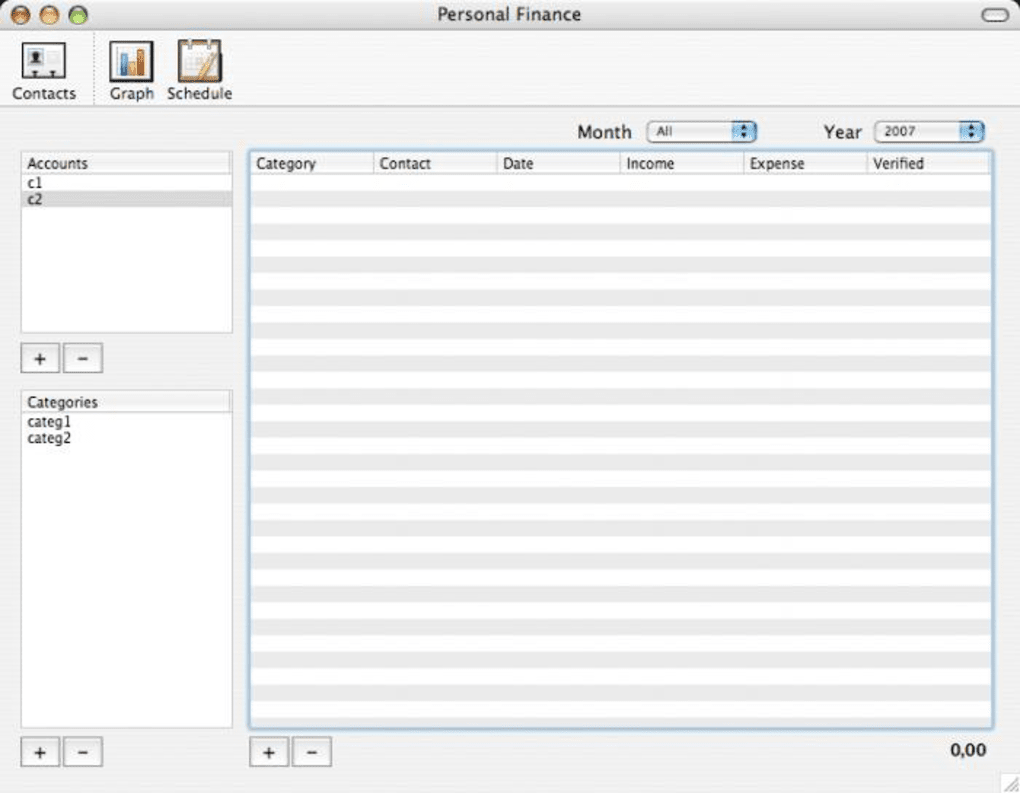
Personal Finance is a lightweight, user‑friendly desktop application designed to bring all of your monetary accounts under one intuitive interface. Whether you are tracking a handful of checking accounts, budgeting for recurring bills, or simply logging occasional expenses, the app lets you add accounts and categories in a matter of seconds. A notable convenience is the ability to import contacts directly from the Mac Address Book, which speeds up setting up payees and recurring transactions.
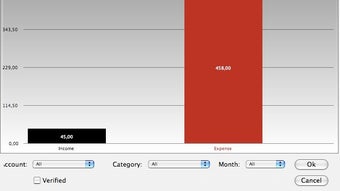
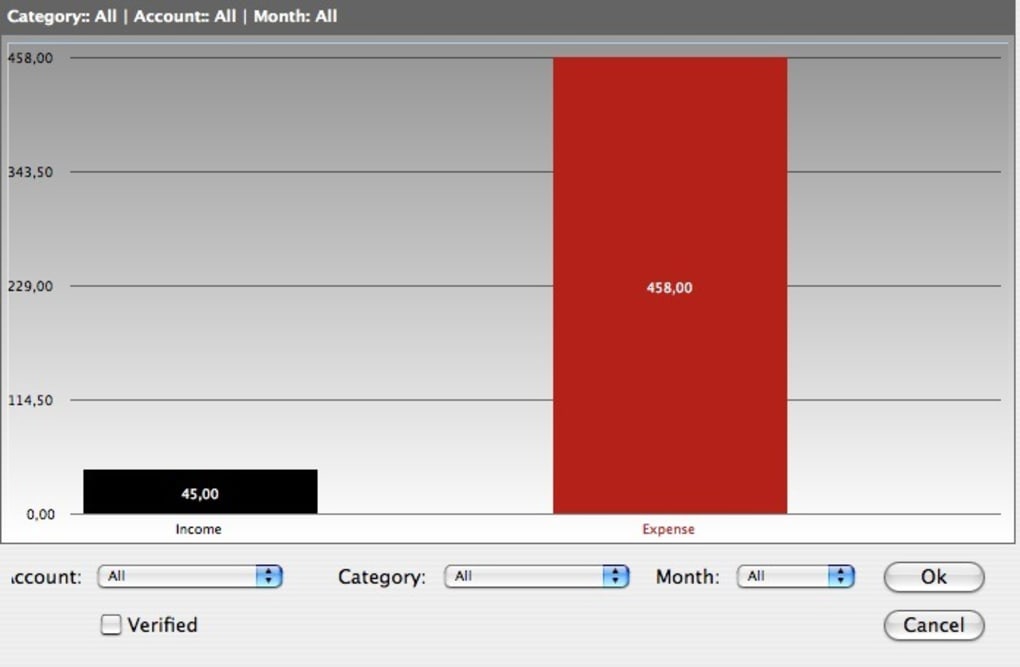
The software also includes a basic scheduling feature that enables you to mark upcoming incomes or expenses, ensuring you never miss a payment. For those who value privacy, Personal Finance offers password protection for the entire database, keeping sensitive financial information out of prying eyes. Visual learners will appreciate the automatically generated charts that illustrate spending patterns over selectable time frames.
A “verified” toggle allows you to filter out unconfirmed entries, giving you a clean view of transactions that have already been processed. While the graphical representation is simple, it provides enough insight for everyday budgeting without overwhelming the user with complex analytics. Overall, Personal Finance shines as a straightforward, no‑frills solution for individuals who need a reliable way to monitor cash flow without the steep learning curve of professional accounting software.
Key Features and Functionalities
- Quick account and category creation – add new items in seconds.
- Mac Address Book integration for seamless contact import.
- Schedule manager for recurring incomes and expenses.
- Password‑protected data files for enhanced security.
- Basic visual charts (pie, bar, line) to represent transaction trends.
- “Verified” filter to display only confirmed transactions.
- Simple, clean GUI that works on both Windows and macOS.
- Export options for CSV and PDF reporting.
Why These Features Matter
Speed and simplicity are at the heart of Personal Finance. Adding an account or a new expense category takes less than a click, which means you spend more time analyzing data and less time wrestling with the interface. The integration with the Mac Address Book eliminates the tedious task of manually typing in payee names, reducing entry errors and saving valuable time.
Scheduling recurring items is especially handy for freelancers and households with regular bill cycles; you can set up a monthly rent or a weekly freelance invoice and let the app remind you when the due date approaches. Security is handled through a single password that encrypts the local database, giving you confidence that your financial snapshot remains private. Although the charting tools are not as advanced as those found in premium accounting suites, they provide a clear visual summary of where your money goes, making budgeting decisions more intuitive.
Finally, the export capabilities ensure you can back up your data or share reports with an accountant without needing third‑party conversion tools.
Installation, Usage, and Compatibility
Step‑by‑Step Installation Guide
Downloading and installing Personal Finance is a straightforward process that takes only a few minutes. Follow these steps to get the software up and running:
- Visit the official website and click the Download button for your operating system (Windows 10/11 or macOS 10.14 and later).
- Once the installer file (
.exefor Windows,.dmgfor macOS) finishes downloading, locate it in your Downloads folder. - Double‑click the installer and follow the on‑screen prompts. Accept the license agreement, choose an installation directory (the default works for most users), and click Install.
- When the installation completes, launch Personal Finance from the Start Menu (Windows) or the Applications folder (macOS).
- The first launch will prompt you to create a master password. Choose a strong, memorable password; this will encrypt your financial data.
Getting Started with the App
After logging in, you will be greeted by a clean dashboard displaying a summary of your total balances, recent transactions, and a quick‑add widget. To add a new account, click the + Account button, select the account type (checking, savings, credit card, etc.), and fill in the initial balance. Categories can be created from the Settings > Categories menu – think “Groceries,” “Utilities,” “Entertainment,” and so on. When you record a transaction, you simply select the account, category, amount, date, and optionally attach a note or receipt image. The schedule manager is accessed via the Calendar icon, where you can set recurring entries and receive notifications when they are due.
Operating System Compatibility
Personal Finance runs natively on Windows 10/11 (64‑bit) and macOS 10.14 or newer. The application is built with cross‑platform frameworks, ensuring consistent performance and UI experience across both environments. While there is currently no official mobile version for Android or iOS, the desktop client can be accessed remotely through standard remote‑desktop tools, allowing you to manage finances from a tablet if needed.
System Requirements
- Windows: 2 GB RAM, 200 MB free disk space, Intel Core i3 or equivalent.
- macOS: 2 GB RAM, 200 MB free disk space, macOS 10.14+.
- Internet connection required only for updates and optional cloud backup.
Pros, Cons, Frequently Asked Questions, and Final Verdict
Pros
- Extremely easy to set up – perfect for beginners.
- Fast account/category creation with drag‑and‑drop support.
- Secure password‑protected database.
- Native integration with Mac Address Book.
- Clear visual charts for quick spending insights.
- Low system resource consumption.
Cons
- Lacks advanced analytical tools and custom report generators.
- No mobile app for iOS or Android.
- Only a single method of data protection (password); no biometric options.
- Limited chart types – no multi‑layered or predictive graphs.
- No built‑in cloud sync; manual backup required.
Frequently Asked Questions
Is Personal Finance free to use?
Yes, the core desktop version of Personal Finance is completely free. Optional premium add‑ons, such as cloud backup or advanced reporting modules, may be offered for a modest fee.
Can I import data from other finance apps?
Personal Finance supports CSV import, allowing you to migrate transaction histories from most other budgeting tools. Export your data as CSV from the source app and use the Import wizard in Personal Finance.
How is my data secured?
All financial data is stored in an encrypted SQLite database. The encryption key is derived from the master password you set during first launch, ensuring that only users with the correct password can decrypt the file.
Can I schedule recurring payments?
Yes. The built‑in schedule manager lets you define recurring incomes (e.g., salary) and expenses (e.g., rent). You can set the frequency (daily, weekly, monthly) and receive a reminder when the transaction is due.
Is there a way to back up my data?
You can manually export your database as a backup file from the File > Export menu. For automatic backups, the optional premium cloud sync module stores encrypted copies on secure servers.
Conclusion – Should You Download Personal Finance?
Personal Finance delivers exactly what its name promises: a simple, secure, and free way to keep your money matters organized. If you are looking for a no‑frills budgeting tool that gets the job done quickly, the app’s clean interface, password protection, and basic visual charts make it an excellent choice. Power users seeking deep analytics, multi‑device sync, or advanced reporting may find the feature set limited, but for everyday household budgeting, freelancers, or anyone who prefers a straightforward desktop solution, Personal Finance strikes the right balance between usability and functionality. Download Personal Finance today to start consolidating your accounts, setting up recurring budgets, and gaining a clearer picture of your financial health—all without spending a dime.







